Your LinkedIn photo is often the first thing a recruiter, client, or future colleague sees of you. It loads before your headline, before your experience, before a single word you wrote. A strong photo earns the next few seconds of attention. A weak one quietly costs you them.
The good news is that a great LinkedIn headshot is not about looking like a model. It is about a handful of choices done well: the crop, the background, your expression, and how you are framed. Getting LinkedIn headshots in Miami right comes down to those decisions, not expensive gear or a dramatic pose.
Here is what actually makes a profile photo work, and how to get one that reads as confident and approachable.
Start with the crop and framing
LinkedIn shows your photo in a small circle. That means a wide shot with your whole upper body gets shrunk until your face is tiny and forgettable. The fix is a tighter crop.
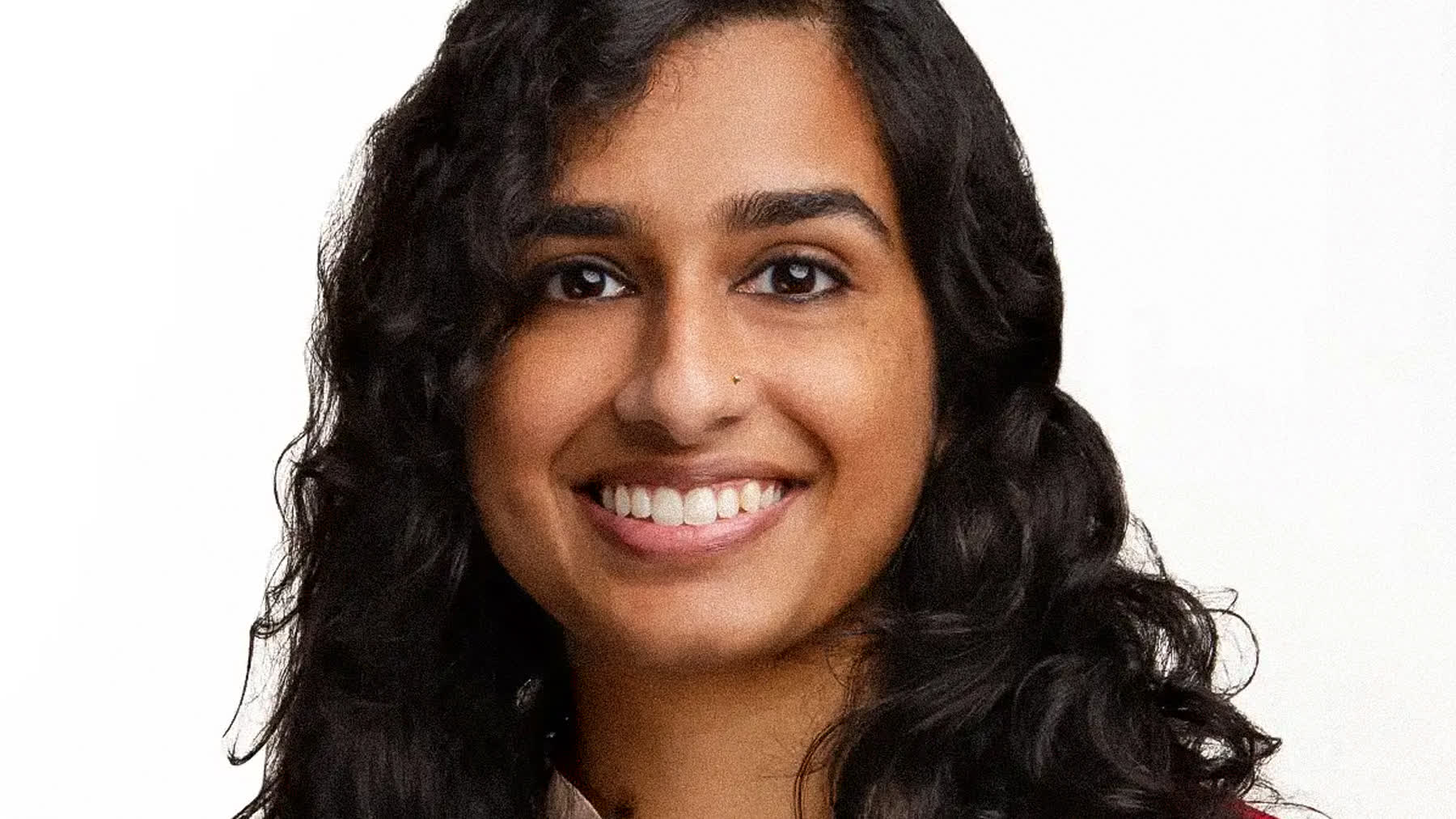
For most profiles, the frame should run from roughly the top of your head to your collarbone or chest. Your face should fill a meaningful share of the circle so it stays clear at thumbnail size. Center yourself, leave a little space above your head, and keep your eyes in the upper third of the frame.
A few framing rules that hold up well:
- Crop tight enough that your face is the obvious subject, even on a phone screen.
- Keep your eyes near the upper third, not dead center or at the bottom.
- Square your shoulders slightly off-camera rather than facing fully forward, which can feel stiff.
- Leave a small margin so the circular crop does not clip your head or chin.
Get the background and lighting right
A clean background keeps attention on your face. Plain studio gray, soft white, or a gently blurred neutral setting all work. Busy backdrops, harsh shadows, and random rooms pull the eye away from you and make the photo feel casual.
Lighting should be soft and flattering, lighting your face evenly without hard shadows under the eyes or nose. This is the part that is hardest to fake with a phone in an office, and it is a big reason professional headshots read so differently from a quick snapshot.
Nail the expression
Expression is where most LinkedIn photos either succeed or fail. A genuine, relaxed expression invites people in. A forced grin or a flat, serious stare creates distance.
You do not need a big toothy smile. You need to look like someone a person would want to meet. A slight smile that reaches your eyes tends to read as both warm and credible. The eyes matter most here, since a smile with engaged eyes feels real and a smile with tense eyes feels performed.
A simple way to relax into it
If you tense up in front of a camera, breathe out right before the frame and let your shoulders drop. Good direction helps a lot, which is one reason a coached session beats trying to self-time the perfect candid. The best frame usually comes a minute or two in, once the first nerves pass.
Common LinkedIn headshot mistakes to avoid
Some habits quietly weaken an otherwise fine photo. Watch for these.
- The cropped group photo, where someone else's shoulder or arm is still in frame.
- A selfie angle, with the camera held high or low and your features distorted.
- Sunglasses, hats, or anything that hides your eyes.
- A heavy filter that makes your skin look unnatural or your photo look dated.
- An outdated photo that no longer matches how you look in a meeting today.
Aim for a photo that looks like you on a good, composed day. That is the version people are pleased to recognize when they meet you in person.
Getting it shot professionally in Miami
You can improve a phone photo with good light and a clean wall, and for some people that is enough to start. But a professional session removes the guesswork. You get proper lighting, real direction on expression, a clean background, and natural retouching that keeps you looking like yourself.
In Miami, that also means working around bright sun and humidity rather than fighting them on a sidewalk. A calm studio setting in Downtown Miami gives you a consistent, flattering result you can use across LinkedIn, your company page, speaker bios, and anywhere else your face represents you.
The photo you choose will likely follow you for years. It is worth getting a frame you are genuinely happy to put forward.
Frequently asked questions
How tight should a LinkedIn headshot be cropped?
From about the top of your head to your collarbone or chest, so your face fills a clear share of the circular thumbnail. A wider shot shrinks your face until it is hard to read.
Should I smile in my LinkedIn photo?
A relaxed, genuine expression works best, and a slight smile that reaches your eyes reads as warm and credible. You do not need a big grin, but a flat, tense stare creates distance.
What background works best for a LinkedIn headshot?
A clean, simple background such as soft gray, white, or a gently blurred neutral setting. The goal is to keep attention on your face rather than the room behind you.
Can I use a phone photo for LinkedIn?
You can, especially with good soft light and a plain background. A professional session gives you better lighting, direction, and retouching, and a result that holds up across every place your face appears.
When you want a LinkedIn photo that earns a second look, our professional headshots page is a good place to start. Show up as yourself, and we will handle the rest.
Looking for linkedin headshots in miami? See packages and book your session.